
[Update] There are BIG changes coming to School Stream in August!
From this weekend we’ll be rolling out Phase 1 of these updates, these will have minimal impact to school staff using the product and won’t impact parents at all. Details of the release are below, and if you missed our last communication please view it here.
Phase 1 - Starting from August 10
We’ve made it easier to spot upcoming scheduled posts as well as draft posts for users. This was a feature request made by a few schools who’d like to easily see if a post was going out soon.
Scheduling posts can be a great way to plan ahead and have content written ahead of time for known events such as bookweek or the school fete. Being able to see the schedule at a glance means there will be less double ups, and less notifications about the same thing stacked on the same day. Great suggestion!

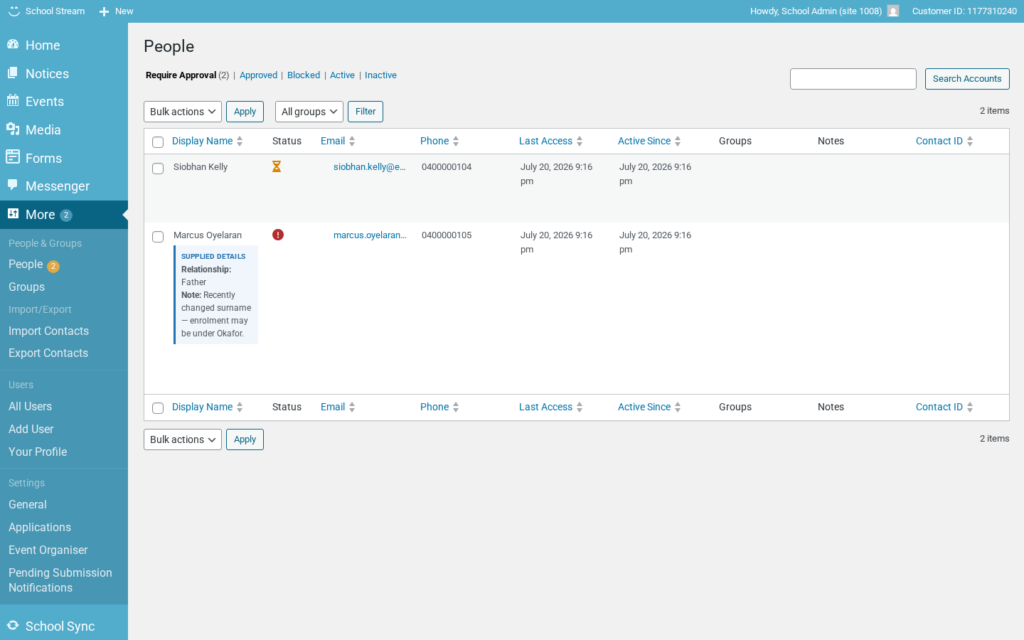
Account Reviews
If someone registers and their number or email isn’t in Wonde or already setup in School Stream, it could be hard to identify who that person is.
The new onboarding flow for parents, means that you can request more information from them. App Users will be notified that they couldn’t be auto approved and presented with a form to upload more information. This introduces new statuses for a Parent or Caregiver:
- Pending
- In Process
- Needs Info (New)
- Approved
- Blocked
Please note that this feature won’t fully work until parents update the app (as they won’t be able to provide requested information)
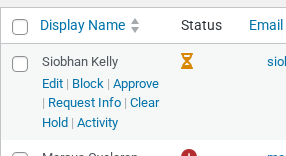
Inline Status Changes
To save time and the number of clicks during onboarding and administration, we’ve added inline buttons for users. This saves the user for having to click into each user to take an action, or tick a tickbox and choosing an action at the top of the menu.
This is a minor change, but if it speeds up usage and makes life easier its a great idea. This improvement was suggested by several schools.
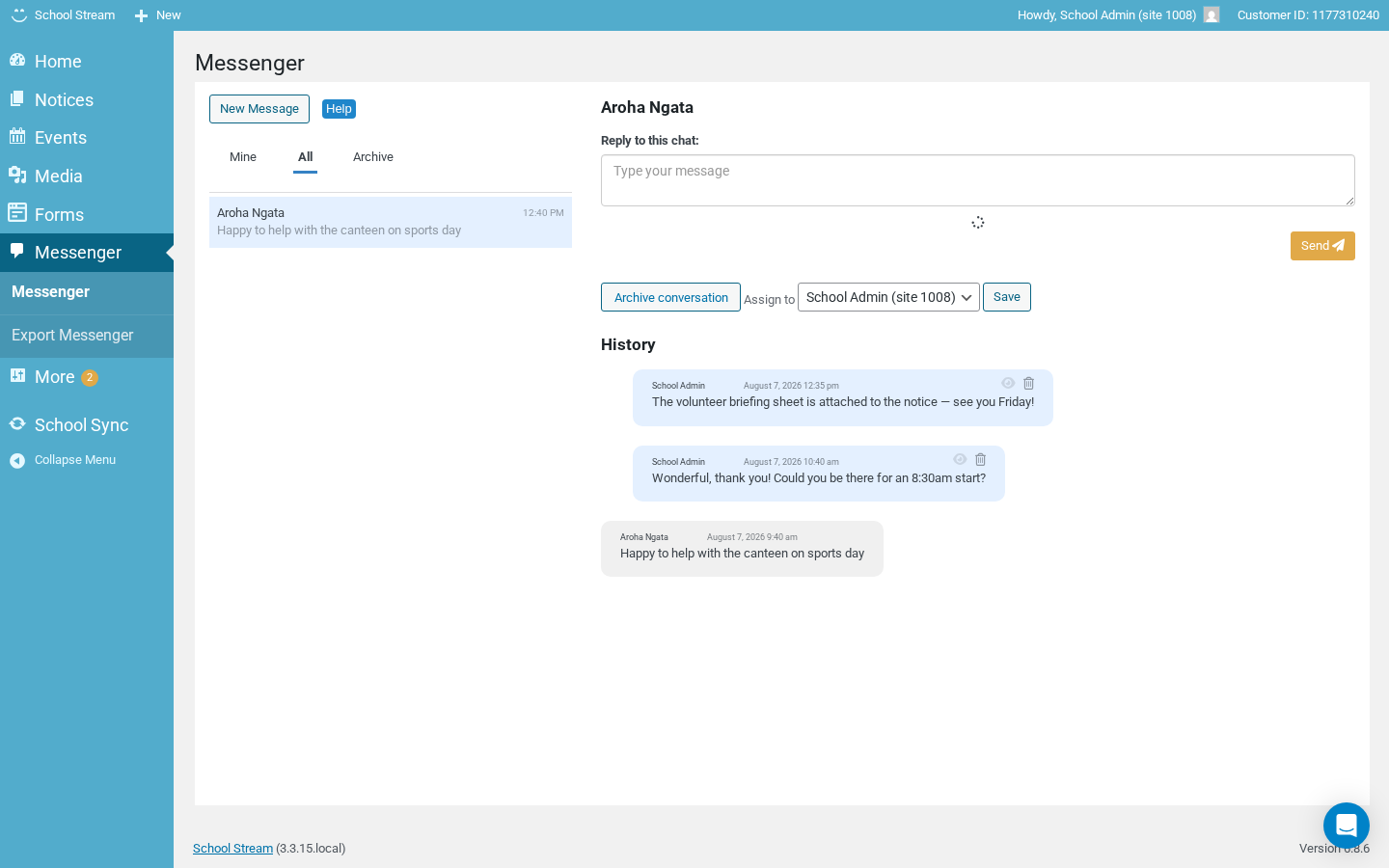
Repaired Icons + message subjects
Some of you have noticed we lost the eye icon, this is because of a bug with current version of the system, we’ve since repaired it and made it more robust, the fix will roll out as part of this change.
There is also some improvements to the subject of a message thread, some users noted a thread about a “Pie Drive” 4 years ago would still be present in a current-day message thread.
Thank you & Next Steps
Phase 2 and 3 are planned for subsequent weeks and involve releasing the app to parents (phase 2) and releasing the onboarding module (phase 3). We will provide more information to you prior to these phases so that you fully understand how it might impact app users or staff.
We thank you for your continued feedback and patience as we work to improve the School Stream system based on feedback. Please reach out to us if you have any concerns or questions about this using the contact us form. This is a large release so doing it in phases and out of hours help us minimise the risk of own time or impact to customers, as always our customer success team and engineer team will be standing by.
Sincerely,
– The Schoolzine Team